How to File Connecticut State Taxes Online
We all know that feeling of impending doom as tax season approaches. Trying to decipher the ins and outs of federal taxes is one thing, but then you realize you’ve got state taxes to contend with too! For Connecticut residents, figuring out how to efficiently and accurately file your state income tax return online can feel like a whole new level of complexity. But don't you worry, this comprehensive guide is here to demystify the process, walking you through everything you need to know to confidently file your Connecticut state taxes from the comfort of your home.
Understanding Connecticut's Online Filing Options
It’s completely normal to feel a bit lost amidst all the different avenues available for tax filing. When it comes to your Connecticut state income tax, you actually have some pretty solid choices, each catering to different levels of comfort and complexity in your financial life. Getting a clear picture of these options from the start can truly save you a world of frustration and help you pick the method that makes the most sense for you.
Connecticut Department of Revenue Services myconneCT Portal
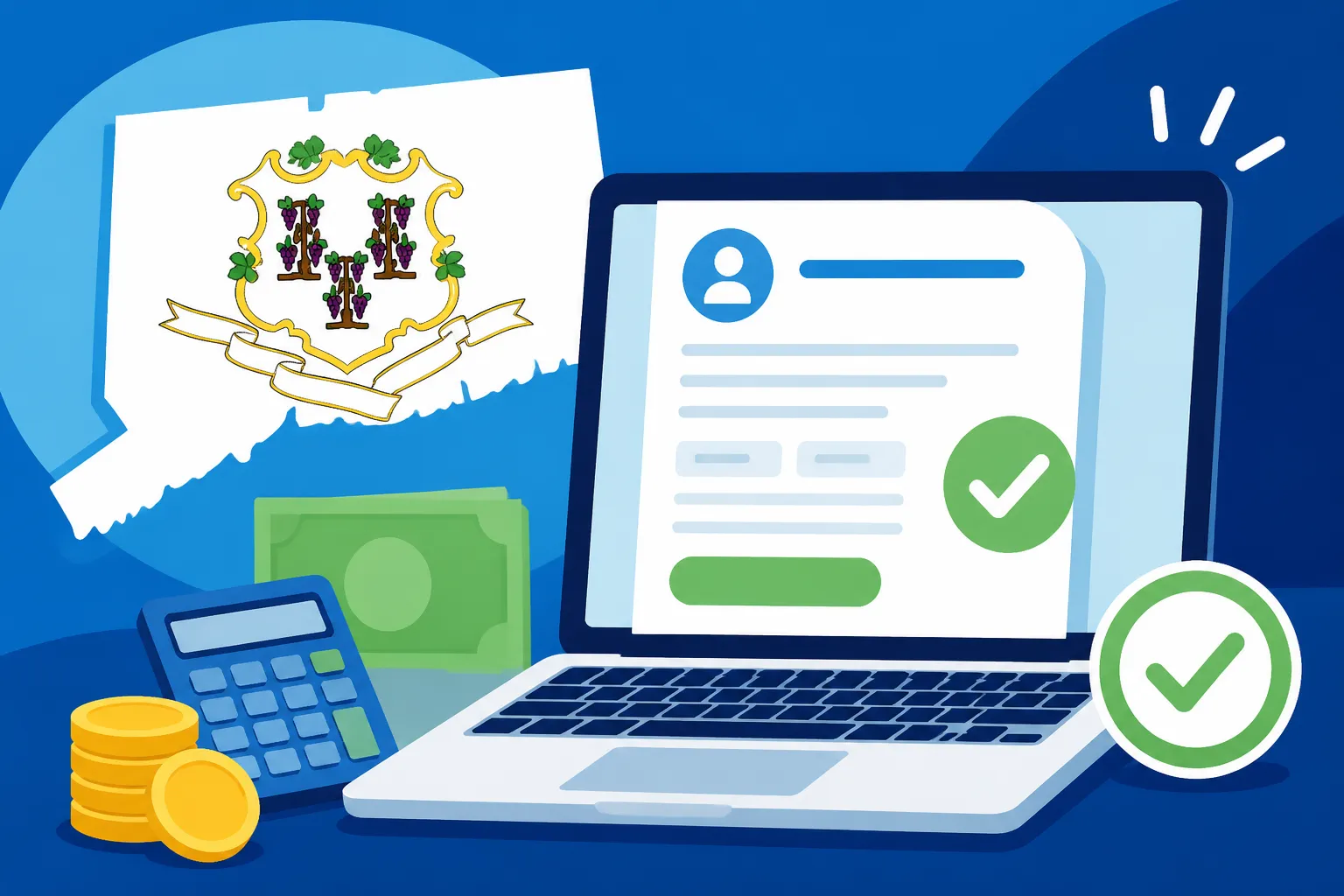
For many Connecticut taxpayers, especially those with relatively straightforward tax situations, the most direct and often cost-effective route is through the official myconneCT portal, managed by the Connecticut Department of Revenue Services (DRS). This isn't just some clunky government website; it's a modern, comprehensive platform designed to allow residents to manage and file various state taxes, including your individual income tax using Form CT-1040. The biggest perk of utilizing the state’s own portal is that it's typically free for eligible filers, ensures direct integration with state tax systems, and provides a streamlined way to oversee your Connecticut tax account. You can easily create an account, input your wage and income information, claim any applicable Connecticut Tax Deductions and Credits 2026, and submit your return directly to the DRS. It truly is an excellent choice if your tax scenario isn't overly complicated and you prefer to engage directly with the state without any third-party software intermediaries.
Commercial Tax Software Providers
Now, if your tax life feels a bit more like a tangled ball of yarn, or if you simply prefer a more guided, hand-holding experience, commercial tax software is often the go-to solution. Popular brands like TurboTax, H&R Block, and TaxAct offer robust platforms that deftly handle both your federal and state tax filings, often bundling them together for convenience. These programs are meticulously crafted with user-friendly interfaces, guiding you through a series of plain-language questions about your income, potential deductions, and various credits. They then work their magic, automatically populating all the correct forms for both the IRS and the Connecticut DRS. A huge advantage of these services is their built-in error checks, which can flag common mistakes before submission, and their ability to prompt you for credits or deductions you might not even know you qualify for. While there's usually a fee associated with filing your state return through these services, the sheer convenience, accuracy, and peace of mind they offer can be a truly worthwhile investment. For instance, if you're navigating a move and need to figure out How to File a Part-Year Resident Return for Connecticut, a tool like TurboTax can simplify the often-confusing process of allocating income correctly.
Professional Tax Preparer Services
Sometimes, despite all the technological advancements and user-friendly software, your tax situation calls for a human expert. For individuals grappling with exceptionally complex financial landscapes—think substantial self-employment income, intricate investment portfolios, or multiple rental properties—enlisting a professional tax preparer is an invaluable option. Certified Public Accountants (CPAs) or Enrolled Agents (EAs) specialize in these intricate scenarios. They possess deep, up-to-date knowledge of tax laws, can offer highly personalized advice tailored to your unique circumstances, and, crucially, can represent you if the Connecticut DRS has any questions or decides to initiate an audit. While undoubtedly the most expensive route, the expertise, accuracy, and stress reduction provided by a professional can be indispensable, particularly for those facing high-stakes or time-consuming tax preparation. They can also provide guidance on specific scenarios, such as filing as a Connecticut Nonresident Income Tax Rules if you work in the state but reside elsewhere.
Essential Preparations Before You File Online
Before you even think about signing into the myconneCT portal or launching your chosen tax software, there's a vital preparatory phase that you simply cannot afford to skip. Rushing past these initial steps is a surefire way to invite delays, frustrating errors, and unnecessary stress down the line. Imagine trying to bake a gourmet cake without measuring ingredients or preheating the oven – it just won't work out! Taxes are no different; proper preparation is the bedrock of a smooth filing experience.
Gathering Your Important Tax Documents
This step is arguably the most critical component of successful online tax filing. Having all your necessary documents meticulously organized and readily accessible before you even begin will make the entire process incredibly smoother and faster. Here’s a comprehensive checklist of what you'll typically need to round up for your Connecticut state income tax return:
- Income Statements: This includes all your W-2 forms from any employers you had during the year, alongside any 1099 forms that report various types of income—1099-NEC for contract or freelance work, 1099-DIV for dividends, 1099-INT for interest earned, and 1099-R for retirement distributions from pensions or IRAs.
- Other Income Documentation: Don't forget statements for less common income sources, such as unemployment benefits (1099-G), gambling winnings, or any Social Security benefit statements you received. Every dollar earned needs to be accounted for.
- Deduction and Credit Records: This category encompasses a wide array of documents that could potentially reduce your taxable income or your tax bill directly. Think property tax statements, documentation for student loan interest paid (often on Form 1098-E), tuition and fees statements (Form 1098-T), records of charitable contributions, and any other specific documentation related to Connecticut Tax Deductions and Credits 2026 you plan to claim. If you contributed to a Connecticut Higher Education Trust (CHET) 529 plan, ensure you have those contribution records, as they can often be deductible.
- Prior Year's Adjusted Gross Income (AGI): This figure, found on your previous year's federal tax return, is frequently used as a security measure for identity verification when you e-file. Make sure you have it handy.
Keeping these documents meticulously organized, whether in a dedicated physical folder or clearly labeled digital files, means you won't be frantically searching for a piece of paper in the middle of your filing session. This organized approach significantly reduces the likelihood of input errors. It’s also a highly recommended practice to double-check the accuracy of your W-2s and 1099s against your own pay stubs or bank statements before you even start the filing process. This simple proactive step can prevent major discrepancies and headaches later on.
Understanding Your Connecticut Tax Obligations
Beyond just collecting paperwork, having a foundational understanding of why you’re gathering these documents and what they mean for your Connecticut tax liability is crucial. Connecticut’s income tax system, like that of many states, has its own unique characteristics and nuances. A little bit of knowledge here can go a very long way in ensuring accurate filing. For example, it’s important to remember that Connecticut operates on a progressive income tax system, which means different segments of your income are taxed at different rates. If you're curious about the specifics, a quick check on the Connecticut Income Tax Rate 2026 will give you the most current figures.
Crucially, you need to correctly identify your residency status for tax purposes. Are you a full-year resident, a part-year resident, or a non-resident? This distinction is paramount, as it dictates how your income is taxed and which forms you need to file. If you've called Connecticut home for the entire calendar year, you’ll generally be considered a resident. However, if you moved into or out of the state during the year, you'll likely need to file as a Connecticut Part-Year Resident Tax Guide, which involves prorating your income based on the portion of the year you lived in Connecticut. Similarly, if you earn income from a job or business within Connecticut but maintain your primary residence in another state, you might be classified as a non-resident for Connecticut tax purposes, with specific rules governing how your Connecticut-sourced income is taxed. Accurately determining your residency status is a fundamental step toward correct and compliant tax filing.
Step-by-Step Guide to Filing Your Connecticut State Taxes Online
With your documents neatly organized and a clearer understanding of your tax obligations, it’s time to dive into the practical steps of actually filing your Connecticut state taxes online. While the process is generally designed to be straightforward, paying close attention to each stage is paramount to ensure accuracy and a smooth submission.
Choosing Your Online Filing Method
As we previously discussed, your initial decision revolves around how you intend to file your taxes. This choice will dictate your path forward.
- Utilizing myconneCT: Your journey begins by navigating to the official Connecticut Department of Revenue Services website, specifically their myconneCT portal at portal.ct.gov/DRS/myconneCT. Here, you'll either create a new user account or log in if you're a returning filer. Once securely logged in, you'll locate the dedicated section for individual income tax filing. The portal is intuitively designed to guide you through the process, much like commercial tax software, but with an exclusive focus on your state return. You’ll be prompted to enter all necessary information, and the system will help you complete the required forms.
- Leveraging Commercial Software (e.g., TurboTax): If you've already completed your federal tax return using a commercial service like TurboTax, the transition to your state return is remarkably seamless. After the federal portion is finalized, the software will almost immediately prompt you to begin your state filing. A major time-saver here is that the program will intelligently pull most of the relevant financial data directly from your federal return, significantly reducing redundant data entry. You'll then be guided through a series of Connecticut-specific questions, allowing you to fine-tune your state return. Once satisfied, you'll proceed to the e-filing stage. It's crucial to confirm that your chosen software explicitly supports Connecticut state tax filing for the current tax year. Be mindful that many providers, while offering "free federal" filing, typically charge a separate fee for the state portion.
- Through a Tax Professional: Should you opt for professional assistance, your tax preparer will handle all the technical aspects of filing through their specialized software. Your primary responsibility will be to meticulously provide them with all your income and deduction documents and to thoroughly review the completed return before they formally submit it on your behalf. They will then confirm the electronic filing, and you’ll typically receive an electronic confirmation of acceptance once the DRS processes it.
Entering Your Income and Deduction Information
With your platform chosen and logged in, you’ll move into the core data entry phase of your tax return. This is where your organized documents truly shine.
- Personal Information: Begin by accurately entering all your personal details. This includes your full name, Social Security number, current address, and your filing status (e.g., single, married filing jointly, head of household). It is imperative that this information precisely matches what you reported on your federal income tax return to avoid any discrepancies.
- Income Reporting: This is where you’ll refer to your collected W-2s, 1099s, and any other income statements. You’ll meticulously input the figures from these official documents into the corresponding fields within your online filing platform. For example, your W-2 will detail your wages, federal income tax withheld, and crucially, your Connecticut state income tax withheld. Ensuring the correct state withholding amount is entered is vital, as this directly impacts whether you receive a refund or owe additional tax.
- Deductions and Credits: This section offers a prime opportunity to potentially reduce your overall tax liability. The online software or myconneCT portal will systematically guide you through various deductions and credits relevant to Connecticut. These might encompass deductions for contributions made to a Connecticut Higher Education Trust (CHET) 529 plan, specific exclusions for certain types of retirement income, or credits for property taxes paid on your primary residence or motor vehicles. Be exceptionally thorough here; overlooking a valid deduction or credit means you could be paying more in taxes than legally required. If you're uncertain about what you can claim, always refer to the official DRS website or consider consulting with a tax professional. Remember, understanding your Connecticut Tax Deductions and Credits 2026 can significantly impact your tax outcome.
Reviewing, Submitting, and Confirming Your Return
Before you take that final plunge and hit the "submit" button, a meticulous, unhurried review of your entire tax return is absolutely non-negotiable. This is your last chance to catch any errors.
- Review: Dedicate ample time to carefully examine every single line of your return. Double-check all numerical entries, paying particular attention to income figures, amounts withheld, and any claimed deductions or credits. Look for any potential typos, misplaced decimal points, or transposed numbers. Most reputable online tax software programs, including services like TurboTax, incorporate a robust "error check" feature – make full use of it! This tool is designed to identify common mistakes and will prompt you to correct them before submission. It's also a smart move to compare your completed state return against your federal return one last time, ensuring consistency in applicable areas.
- Submission: Once you have thoroughly reviewed everything and are confident in its accuracy, proceed with the electronic submission of your return. The filing platform will guide you through the final steps, which typically involve an electronic signature, often authenticated using your prior year's Adjusted Gross Income (AGI) or a designated Personal Identification Number (PIN).
- Confirmation: Immediately after transmitting your return, you should receive an initial confirmation indicating that your return has been successfully sent. This is not the final confirmation. It is absolutely crucial to await a second, official confirmation directly from the Connecticut Department of Revenue Services (DRS) stating that your return has been accepted. This acceptance confirmation serves as your definitive proof that your return was received, validated, and is now being processed. Do not assume everything is settled until you have received this official notification, which typically arrives via email or is accessible within your filing portal. As a best practice, always download and securely save a digital or print a physical copy of your filed return for your personal records.
After Filing Your Connecticut State Taxes Online
Alright, you've done it! The heavy lifting of preparing and submitting your Connecticut state taxes online is complete. You can breathe a sigh of relief, right? Mostly! But there are still a few important things you should know and actions you might need to take once that "accepted" confirmation lands in your inbox. It's not just about hitting 'submit' and forgetting about it until next year.
Tracking Your Refund Status
If the universe has smiled upon you and you're anticipating a refund (and who doesn't eagerly await that financial boost?), naturally, you'll want to know when it's going to hit your bank account. Thankfully, the Connecticut DRS provides a dedicated online tool specifically for this purpose. You can typically locate this by searching for "Where's My Refund" on the official DRS website. To check your status, you’ll generally need to input your Social Security number, the precise refund amount you're expecting, and potentially your filing status. This tool will provide real-time updates on your refund's journey, letting you know if it's been received, if it's currently being processed, and when you can expect it to be issued. Just keep in mind that the DRS, especially during the peak of tax season (think March and April), processes a massive volume of returns, so don't anticipate an immediate status update the second you hit submit. For broader context on tracking, you might find our guide on Where's My State Refund? Check by State helpful.
What If You Owe Taxes?
It's a common scenario – not everyone gets a refund. Sometimes, despite careful planning and accurate filing, you might discover you owe additional taxes to the state of Connecticut. When filing online, the platform you use (whether it's myconneCT or commercial software like TurboTax) will clearly display the amount you owe. The good news is that you have several convenient options for making that payment:
- Electronic Funds Withdrawal: This is often the simplest and most preferred method when filing online. You'll simply provide your bank account and routing numbers, and the DRS will directly debit the amount from your account on a specified date, usually coinciding with the tax deadline.
- Credit Card/Debit Card: Many states, including Connecticut, offer the flexibility of paying your tax bill with a credit or debit card. This is typically facilitated through a secure third-party processor. Just be aware that these services almost always levy a small convenience fee for the transaction.
- Check or Money Order: If you prefer a more traditional approach, you can print a payment voucher directly from the DRS website or your tax software. Then, simply mail a check or money order. The critical thing here is to ensure your payment is postmarked by the official State Tax Deadlines 2026 (All States) to steer clear of late payment penalties.
- Payment Plans: If, for any reason, you find yourself unable to pay the full amount due by the deadline, it is absolutely vital to contact the Connecticut DRS as soon as possible. Don't avoid the issue! The DRS may be able to work with you to establish an installment agreement, allowing you to pay off your balance over a manageable period. Ignoring a tax bill will only compound the problem with mounting penalties and interest.
The Importance of Record-Keeping
Even once your return has been accepted, and any refunds have landed or payments have been processed, your tax journey isn't quite at its absolute end. Maintaining diligent and thorough record-keeping is an indispensable habit for any taxpayer. You should always keep secure copies, whether digital or physical, of the following:
- Your complete, filed Connecticut state tax return.
- All supporting documents that you used, such as W-2s, 1099s, and receipts for any deductions you claimed.
- The official acceptance confirmations from both the IRS (for federal) and the Connecticut DRS (for state).
- Any and all correspondence you receive from the Connecticut Department of Revenue Services.
Generally speaking, it's recommended to retain all tax records for a minimum of three years from the date you filed your return, or two years from the date you paid the tax, whichever date is later. This is because the DRS, like the IRS, has a statute of limitations during which they can audit your returns. Having all your records readily accessible will make responding to any inquiries much easier and significantly less stressful. For example, if you claimed a substantial property tax credit, having the payment receipts readily available means you're fully prepared if the state has questions about your claim.
Common Questions and Troubleshooting for Online Filers
Even with the best preparation and the most intuitive software, it’s entirely normal for questions or minor glitches to pop up during online tax filing. Feeling a bit stuck sometimes is part of the process, but rest assured, there are almost always straightforward answers and effective solutions to help you get back on track.
What if I Make a Mistake After Filing?
It happens to the absolute best of us! You meticulously review, hit that submit button, and then suddenly realize you forgot to include a crucial W-2 or perhaps miscalculated a deduction. If you uncover an error after your Connecticut state tax return has been successfully filed and accepted by the DRS, you’ll need to file an amended return. This process is far less intimidating than it sounds. For Connecticut, you'll typically use Form CT-1040X, which is specifically designated as the "Amended Connecticut Income Tax Return." Most reputable tax software, including widely used platforms like TurboTax, as well as the myconneCT portal, provide clear guidance on how to prepare and submit an amended return. The process generally involves indicating the specific changes you need to make from your original return and providing a brief explanation for these adjustments. Crucially, do not attempt to file a second original return; that will only create more confusion and potential issues. Always opt for the "amended" route. The general steps for How to File an Amended State Return are quite consistent across different states, even though the specific forms might vary.
What if I Miss the Filing Deadline?
Life has a way of getting hectic, and sometimes, despite your best intentions, the tax deadline can simply creep up and pass you by. If you realize that you won't be able to submit your Connecticut state income tax return by the traditional April 15th deadline, your immediate course of action should be to file for an extension. Connecticut, much like the federal government, typically grants an automatic six-month extension to file, effectively pushing your deadline to October 15th. To secure this, you'll need to submit Form CT-1040 EXT. However, and this is a critical point to remember: an extension to file your return is NOT an extension to pay any taxes you might owe. If you estimate that you will owe taxes to the state, you must still pay that estimated amount by the original April 15th deadline to avoid incurring penalties and interest charges. If you fail to pay enough with your extension request, you could still face penalties on any underpaid amount. Most tax software programs and the DRS website offer convenient electronic options for filing this extension and making an estimated payment concurrently. For more comprehensive details on this topic, our guide on State Tax Extensions: How to File can provide additional insights.
Why is My Refund Delayed?
A delayed tax refund can be incredibly frustrating, especially if you were counting on that money for a specific purpose. Several factors, often beyond your immediate control, can contribute to a delay in receiving your Connecticut state tax refund:
- Errors on Your Return: Seemingly minor mistakes, such as an incorrect Social Security number, inaccurate bank account information for direct deposit, or simple mathematical errors, can easily trigger a manual review process, which naturally extends processing time.
- Identity Verification: In an effort to combat tax fraud, the DRS may occasionally require additional verification of your identity. If this happens, they might send you a letter requesting further documentation, adding time to the refund process.
- High Volume Periods: During the peak periods of tax season, particularly in March and April, the sheer volume of returns submitted can overwhelm processing systems, leading to longer wait times for everyone.
- Required Additional Documentation: If your return contains elements that raise specific flags or if you've claimed certain complex credits, the DRS might request additional supporting documentation to validate your claims, which will pause your refund processing.
- Outstanding Debts: If you have any outstanding debts to the state of Connecticut—this could include other unpaid taxes, child support arrears, or outstanding balances with other state agencies—your refund might be offset (reduced) to cover these outstanding obligations.
The most effective initial step if you suspect a delay is to utilize the Where's My Connecticut Tax Refund? tool available on the DRS website. If this tool provides specific information or instructions regarding your delay, follow them diligently. If there's no clear information, or if the delay becomes excessively prolonged, you might need to contact the Connecticut Department of Revenue Services directly for further assistance. Be prepared to be patient, but also persistent in your follow-up.
| Connecticut Online Filing Method | Best For | Typical Cost | Key Features |
|---|---|---|---|
| myconneCT (DRS Portal) | Simple returns, direct interaction with state | Free for eligible filers | Direct filing with CT DRS, secure state-run portal, can manage other CT tax types (e.g., sales tax for businesses) |
| Commercial Software | Moderate to complex returns, combined federal/state | Varies (often paid for state) | Guided interview format, built-in error checks, pre-fills data from federal return, comprehensive form support |
| Tax Professional | Very complex situations, audit concerns, personalized advice | Highest (fee-based service) | Expert preparation, personalized tax planning, audit representation, in-depth knowledge of current tax laws |
This table offers a clear, concise overview of your primary options when you're considering how to file your Connecticut state taxes online. Each method brings its own set of advantages and disadvantages, and ultimately, the "best" choice is the one that aligns most effectively with your individual financial circumstances, your comfort level with tax preparation, and the complexity of your tax situation.
Disclaimer
This article is for general informational purposes only and does not constitute professional advice. Laws and regulations vary by location and change over time. Consult a qualified professional for guidance on your specific situation.