Can You E-File State Taxes Separately?
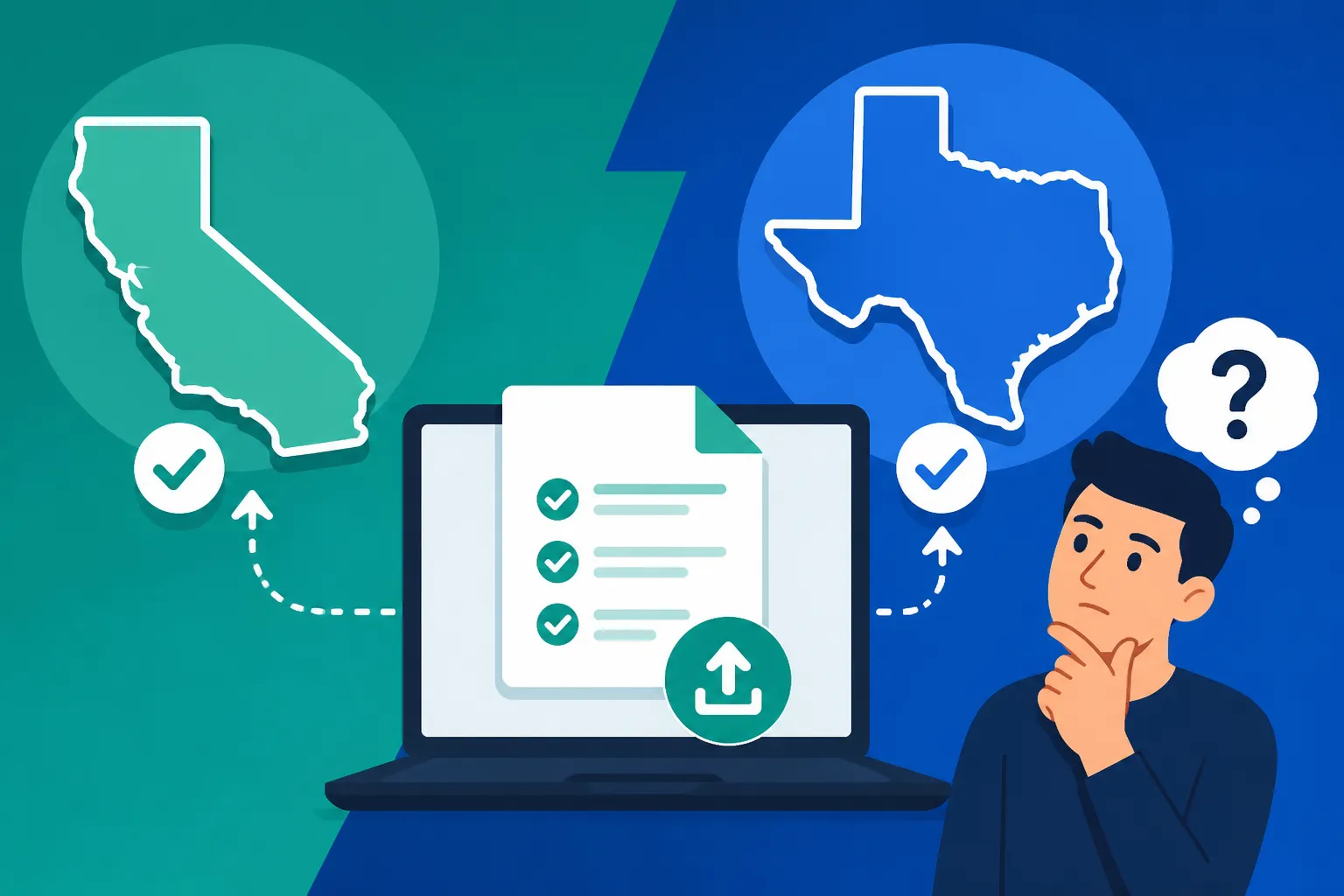
It's a common scenario that trips up so many folks during tax season: you've finally squared away your federal tax return, breathed a sigh of relief, and then it hits you. What about your state taxes? Maybe you used a free federal filing option, or perhaps you're dealing with a complex multi-state situation, and now you're wondering, "Can I even e-file my state taxes all by themselves?" The short answer is often yes, but navigating the ins and outs can feel like deciphering a cryptic code. This guide is here to untangle that process, helping you understand when and how you can e-file your state taxes separately, without the headache.
Understanding the Interplay Between Federal and State Tax Filing
Before we dive into the specifics of e-filing state taxes separately, it's really important to grasp how federal and state taxes usually interact. Think of it like two different but related conversations you have about your income – one with Uncle Sam, and one with your state's tax department. While they're distinct entities, states often rely heavily on the information you report to the IRS.
The Foundation: Your Federal Adjusted Gross Income (AGI)
For most of us, our federal tax return, specifically our Adjusted Gross Income (AGI), acts as the starting point for calculating state income taxes. This isn't just a suggestion; it's often a fundamental requirement. Your AGI from your federal Form 1040 provides a standardized baseline that many states use to determine your taxable income before applying their own deductions, credits, and rates.
Imagine you've just spent hours meticulously entering all your W-2s, 1099s, deductions, and credits into a tax software program to complete your federal return. That final AGI number, along with other key figures like itemized deductions or standard deductions, charitable contributions, and dependent information, is what your state tax return will frequently ask for. So, even if you plan to file your state return separately, you absolutely need to have your federal return completed, or at least have a firm grasp of all the numbers that would go into it. Without that federal foundation, your state return calculations could be way off, leading to errors or even audits down the line. It's like trying to bake a cake without knowing how much flour to add – you might end up with something, but it probably won't be quite right!
Why Federal and State Often Go Together
Most commercial tax software, like TurboTax, H&R Block, or TaxAct, is designed to make the federal and state filing process as seamless as possible. When you complete your federal return within their platform, the software automatically pulls over all the relevant data to start your state return. This saves you a tremendous amount of time and reduces the chance of manual entry errors. It’s incredibly convenient, and for many taxpayers, it’s the default and easiest way to go.
This integrated approach is why many people rarely think about filing their state taxes separately. The system is set up to guide you through both returns, often offering a bundled price or even including a state return for free if your federal situation is simple enough to qualify for their free federal filing tier. It’s an efficient system when it works, but it can create a bit of a puzzle when your circumstances don't fit the neat, bundled package. You might wonder, "Do I Have to File State Taxes If I Owe Nothing?" or if your income thresholds dictate a filing requirement at all.
Scenarios Where You Might E-File State Taxes Separately
Life isn't always neat and tidy, especially when it comes to taxes. There are several common, and sometimes frustrating, situations where filing your state income tax return separately from your federal return becomes not just a possibility, but a necessity.
Using Different Software Providers
Perhaps you found a fantastic deal for federal filing with one software provider, but that same provider charges an arm and a leg for your state return. Or maybe you had a particularly complex federal situation that one brand handled beautifully, but you know another platform offers a better, perhaps even free, option for your state-specific needs. This happens more often than you'd think!
For example, many people opt for a free federal filing service because their income falls within certain limits, but then find that the associated state filing fee is unexpectedly high. In such a case, you might complete your federal return with IRS Direct File or a specific free software, obtain your federal AGI and other crucial figures, and then pivot to a different, perhaps state-specific free option or a cheaper commercial product like FreeTaxUSA to file your state return. This strategy can be a real money-saver, especially if you're keeping a close eye on every penny during tax season. You're effectively cherry-picking the best deals for each part of your filing process.
Staggered Deadlines or Extensions
While April 15th (or the closest business day) is the famous deadline for federal income taxes, not all states adhere to the exact same schedule. Some states, particularly after natural disasters or during unique circumstances, might offer extensions that differ from the federal extension. What's more common is that many states automatically grant you an extension for filing your state return if you've filed a federal extension (Form 4868). However, this doesn't always mean you're required to file both at the same time.
Let's say you needed to file a federal extension, giving you until October to file your federal return. Your state might offer a similar extension, but you might decide to go ahead and file your state return earlier if you have all the necessary information and expect a refund, or want to pay an estimated balance before state penalties kick in. Or, vice versa, maybe your federal return is done, but you need a bit more time to gather specific state-level documentation. This flexibility to file your state return later than your federal, or even earlier if the circumstances allow, is a key reason why separate e-filing is so valuable. Just remember, an extension to file is not an extension to pay! If you owe state taxes, you generally still need to pay them by the original deadline to avoid penalties, even if you're filing an extension. This makes understanding your individual State Tax Deadlines 2026 All States absolutely critical.
Multi-State Filing Complexities
If you've moved states mid-year, worked in multiple states, or live in one state and commute to another, you're familiar with the delightful headache of multi-state tax returns. This is where the simple, bundled federal + single-state filing often falls apart. You might be considered a Resident vs Nonresident vs Part-Year Resident in different states, each requiring its own unique return.
For instance, someone who lives in New Jersey but works in New York will likely have to file a resident return for New Jersey and a nonresident return for New York, often involving a credit for taxes paid to another state to avoid double taxation. While some advanced tax software can handle multiple state returns, you might find it more straightforward, or cheaper, to complete each state's return separately, perhaps using state-specific software or even the state's direct e-file portal, once your federal return (and all its vital AGI data) is complete. This way, you can focus on the nuances of each state's tax laws without confusing the software with conflicting data from other states, which can sometimes happen with less robust platforms. It's definitely a situation where you'll want to explore options like Best Tax Software for Multiple States.
State-Specific Free Filing Programs
Many states offer their own free e-file programs directly through their Department of Revenue websites or in partnership with certain tax software companies. These programs are often designed for taxpayers who meet specific income requirements or have relatively simple returns.
For example, California has CalFile, and New York has its own free e-file options. If you've already filed your federal return elsewhere (maybe even a paper return!), and you meet the criteria for your state's free e-file program, it makes perfect sense to use it. Why pay for a state return if you don't have to? This is a prime example where having your federal AGI handy is crucial, as these state-specific programs will almost certainly ask for it to verify your income and deductions. It’s a smart way to save money and take advantage of resources explicitly provided by your state government. To see if your state offers such a program, you might want to look into Free State Tax Filing Options 2027.
How to E-File Your State Return Independently
Okay, so you've decided that filing your state tax return separately is the path for you. That's totally fine! The good news is, it's a completely viable option, and many people do it successfully every year. But just like any tax-related task, there are specific steps and things you need to keep in mind to make sure it goes smoothly.
Step-by-Step Guide to Separate State E-Filing
Here's how you can generally approach e-filing your state return when it's not bundled with your federal:
-
Complete Your Federal Tax Return First (and have it handy!): This is non-negotiable. As we discussed, your federal Adjusted Gross Income (AGI) and other federal figures are the cornerstone of your state return. Whether you filed federal through the IRS Direct File, a different tax software, or even mailed a paper return, you must have those final federal numbers. Make sure you have your federal Form 1040 (or 1040-SR) readily accessible, specifically line 11 for AGI. Many state tax forms will ask for this explicitly.
-
Gather All State-Specific Documentation: Don't forget that states often have their own unique deductions and credits. You'll need any documents related to these, such as property tax statements (for homestead exemptions), school tuition payments, specific state-level charitable contributions, or energy-efficient home improvement receipts, if your state offers credits for them. Check your state's Department of Revenue website for a list of common credits and deductions.
-
Choose Your State E-Filing Method: This is where you decide how you'll actually submit your return.
- State's Official E-File Portal: Many states offer free e-filing directly through their Department of Revenue websites. These are usually robust and accurate, especially for straightforward returns. You simply navigate to their tax section, look for "e-file" or "file my taxes," and follow the prompts. You'll enter your federal AGI and other information manually.
- Commercial Tax Software (State-Only Option): Most major tax software providers, like TurboTax, H&R Block, and TaxAct, allow you to purchase and file a state return as a standalone product. You would select the option to "Start a new state return" or "File state only," and then it will ask you to manually input your federal AGI and other relevant federal information. This is a great option if you appreciate the guided interview format of commercial software. Be mindful of the costs, as they can vary.
- Another Free E-File Service: Some non-profit or commercial services offer free state e-filing if you meet their income thresholds or residency requirements. Sites like FreeTaxUSA often provide free state filing as a perk, even if you didn't use them for federal. Always check the eligibility requirements carefully.
-
Enter Your Federal Information Accurately: No matter which method you choose, you'll be prompted to enter your federal AGI, filing status, exemptions/dependents, and possibly other lines from your federal return. Double-check these entries against your completed federal Form 1040. An error here will ripple through your entire state return.
-
Complete Your State-Specific Sections: Now, focus on the parts unique to your state. Input any state-specific deductions (like the New York 529 Deduction Limit if you contributed to a 529 plan), credits (such as the California Renters Credit 2026), or adjustments. This is where your state-specific documentation comes into play.
-
Review, Review, Review: Before hitting that "e-file" button, do a thorough review. Compare the summary of your state return with your expectations. Look for any discrepancies. Most software will have an error-check feature – use it!
-
Submit Your State Return: Once you're confident, submit it electronically. You'll usually receive a confirmation number from the software or state portal. It's smart to save this, and perhaps even print a copy of your filed return for your records.
Important Data Points You'll Need
When you're filing your state return separately, you're essentially telling a new story, but you need to reference the "federal story" constantly. Here's a table of common data points from your federal return that states almost always ask for:
| Federal Form 1040 Line Item (2025/2026 Tax Year) | Common State Application/Purpose | Why It's Needed |
|---|---|---|
| Line 1 – Wages, Salaries, Tips | Gross income, starting point for state wage calculation | Most states tax earned income; sets initial income level. |
| Line 2b – Tax-Exempt Interest | Often exempt from state tax in certain situations | States may treat tax-exempt interest differently than federal. |
| Line 11 – Adjusted Gross Income (AGI) | Primary baseline for state taxable income, eligibility for state credits/deductions | Crucial for determining overall tax burden and qualifying for specific state benefits. |
| Line 12 – Standard Deduction or Itemized Deductions | States may adopt federal amounts or have their own state-specific deductions | Determines how much of your income is non-taxable at the state level. |
| Line 13 – Qualified Business Income (QBI) Deduction | States often decouple from or limit this federal deduction | State rules vary significantly on how QBI is treated. |
| Line 14 – Taxable Income | The amount of income your state will apply its tax rates to, after state adjustments | The final income figure before state tax calculation. |
| Line 15 – Total Tax | Not directly used by states, but gives context to federal burden | Helps in understanding your overall tax picture, though not a direct input for state tax. |
| Federal Filing Status | Many states mirror federal filing statuses (Single, Married Filing Jointly, etc.) | Determines which state tax brackets and standard deductions apply to you. |
| Dependent Information | Eligibility for state child tax credits, dependent care credits | States often have their own versions of credits for dependents. |
| Any other income (e.g., capital gains, retirement distributions) | States have specific rules for taxing different income types; some exempt certain retirement income | Crucial for correctly calculating state taxable income for diverse income sources. |
Having these figures, especially your federal AGI, handy and accurate is paramount. It ensures that when you choose to File State Taxes After Federal, your state return is built on the correct financial foundation.
What to Watch Out For: Potential Pitfalls
While filing your state taxes separately is definitely doable, it's not without its potential stumbling blocks. Being aware of these common pitfalls can help you navigate the process more smoothly and avoid costly mistakes.
Inaccurate Federal Data Entry
This is arguably the biggest and most common mistake. When you're manually inputting your federal AGI, filing status, or other figures into a new state-only software or portal, it's incredibly easy to make a typo. A single incorrect digit in your AGI, for instance, can completely throw off your state tax calculation, potentially leading to an underpayment, an overpayment, or even triggering a state audit.
Imagine you mistakenly type in $65,000 for your AGI instead of $56,000. That difference of $9,000 could bump you into a different tax bracket, disqualify you from certain state-specific credits for low-to-moderate income earners, or significantly alter your tax liability. It's not just about the AGI, either. Forgetting to carry over your total itemized deductions, or misstating your number of dependents, can have similar negative consequences. My advice: treat every manual data entry with the same scrutiny you’d give to signing your name on a legal document. Always, always cross-reference with your final, filed federal return.
Missing State-Specific Deductions or Credits
When you use an integrated federal and state filing system, the software often prompts you for common state-specific deductions and credits. When you file separately, especially if you're using a state's direct e-file portal, you might not get the same level of hand-holding. This means you could easily overlook valuable deductions or credits that could reduce your state tax bill.
For example, many states offer unique deductions for contributions to their state's 529 plan, like the Indiana 529 Tax Credit CollegeChoice, or specific credits for things like electric vehicle purchases, home energy efficiency improvements, or even certain types of childcare expenses beyond what's covered federally. If you're not actively looking for these, you're leaving money on the table. Before you start your separate state filing, it's a really good idea to spend some time on your state's Department of Revenue website. Look for a list of available credits and deductions. You don't want to pay more than you legitimately owe!
State Tax Return Deadlines and Payment Due Dates
We've touched on this before, but it bears repeating: federal and state tax deadlines are often, but not always, aligned. Relying solely on the federal deadline for both can be a costly mistake. While many states will grant an automatic extension if you've filed a federal extension, some require a separate state extension request. More critically, an extension to file is never an extension to pay. If you estimate you'll owe state taxes, you need to pay that estimated amount by the original state deadline to avoid underpayment penalties and interest.
Think about it: you file your federal extension on April 15th and assume your state is automatically covered until October 15th. But if your state requires its own extension form by April 15th, and you don't file it, you could be hit with late-filing penalties even if you eventually pay on time. Furthermore, if you wait until October to file and pay your state taxes, and you actually owed money, you'll likely accrue interest and penalties from April 15th. Always check your specific state's filing and payment deadlines. This information is usually front and center on your state's tax website or on resources like our State Tax Deadlines 2026 All States guide.
Not Having a "Complete" Federal Return for AGI
Sometimes, people try to "speed run" their federal return just to get the AGI for their state filing, without realizing that some details might change after the fact. While your AGI is a critical starting point, any subsequent amendments to your federal return could necessitate amending your state return as well.
Let's say you realize after filing your state return that you forgot to include a significant deduction on your federal return, which lowers your federal AGI. Because your state return relied on that higher AGI, it too will now be incorrect. This means you'll have to go through the hassle of filing an How to File an Amended State Return, which can be more complex and time-consuming than the original filing. The best practice is to ensure your federal return is as final and accurate as possible before you even begin your separate state filing process. This minimizes the chance of needing to revisit both returns.
Choosing the Right Tool for Independent State Filing
Once you've decided to e-file your state taxes separately, the next big question is: which tool should you use? The landscape of tax software and state-provided options can be a bit overwhelming, but understanding your choices can help you pick the best fit for your situation.
State Government E-File Portals
Many states have developed their own secure online portals that allow residents to e-file their state tax returns directly. These are often free and can be a fantastic option, especially for straightforward returns where you're not claiming a lot of complex state-specific credits.
Pros:
- Free: The biggest advantage, usually. You don't pay anything to file.
- Direct to the Source: You're dealing directly with your state's Department of Revenue, which can sometimes mean faster processing for refunds.
- Accurate for Basic Returns: If your tax situation isn't overly complicated, these portals are typically very accurate.
- Security: State government websites are generally very secure, protecting your sensitive financial data.
Cons:
- Less Guided: They might not offer the same user-friendly, interview-style navigation as commercial software. You might need to know which forms or lines to fill out.
- No Federal Integration: You'll definitely be manually inputting your federal AGI and other federal details, so accuracy is entirely on you.
- Limited Scope: Complex scenarios, like multi-state filing with specific credits or deductions, might be harder to manage without the guidance of commercial software.
- Availability: Not every state offers a direct e-file portal, or the eligibility might be restricted to certain income levels or filing types. For example, some states might only offer free e-file for those earning below a certain income, or for simple W-2 income.
For those looking to keep costs down and who have confidence in their ability to follow instructions, exploring your state's direct e-file options is always a smart first step. Just search for "[Your State Name] Department of Revenue e-file" to see what's available.
Commercial Tax Software (State-Only Options)
Major tax software brands like TurboTax, H&R Block, and TaxAct are well-known for their comprehensive federal and state filing packages. However, they also almost universally offer the option to purchase and file a state return independently. This can be a great middle-ground if you prefer the guided experience of software but need to file your state separately.
Pros:
- User-Friendly Interface: These platforms excel at walking you through the process with easy-to-understand questions and explanations. This can be especially helpful for navigating state-specific deductions or credits you might not be aware of.
- Error Checking: They typically include robust error-checking tools that scan for common mistakes or missing information, giving you a greater sense of security.
- Convenience: Even when filing separately, the software can often save your progress and store your data securely year-to-year.
- Support: Many offer various levels of customer support, from online FAQs to live chat or phone assistance, which can be invaluable if you hit a snag.
Cons:
- Cost: While often less than a full federal + state package, a standalone state filing fee can still range from $20 to $60, depending on the software and the complexity of your return.
- Manual Federal Entry: You'll still need to manually enter your federal AGI and other federal figures, though the software will guide you on which lines to pull.
- Upsells: Be prepared for potential upsells for additional features like audit defense or expert review, even for a state-only return.
If you value a structured, guided approach and don't mind paying a fee for the convenience and peace of mind, commercial software is a solid choice. Many people find the interface of something like TurboTax to be incredibly intuitive, even for state-only filing. When considering options, you might compare TurboTax vs TaxAct vs H&R Block for State Returns to see which one best fits your budget and needs.
Free Tax Software with State Options
Beyond the state government portals, there are a few commercial tax software companies that offer free state filing as part of their service, sometimes even for those who only need to file a state return. FreeTaxUSA is a prominent example often praised for offering free state returns, regardless of your income, though they might charge a small fee for federal.
Pros:
- Completely Free (or very low cost): Can be a fantastic budget-friendly option, especially if you qualify for free federal filing elsewhere and just need a free state solution.
- Guided Interface: Often provides a similar guided experience to paid commercial software, making it user-friendly.
- Accessibility: Generally available to a wide range of taxpayers without strict income limitations for state filing.
Cons:
- Advertising/Upsells: Some "free" options might have more ads or push for paid upgrades for features like live support or amended returns.
- Customer Support: Free versions might have limited customer support options compared to paid offerings.
- Complexity Limitations: While generally good, extremely complex multi-state scenarios might still be better handled by a more robust paid platform or a tax professional.
For many taxpayers, these free options strike a perfect balance between cost and ease of use. It's always worth checking if a platform like FreeTaxUSA can handle your specific state-only filing needs.
Ultimately, your choice will depend on your budget, the complexity of your state return, and your comfort level with navigating tax forms. Don't be afraid to try a few different options to see which interface you prefer before committing to filing.
Conclusion: Taking Control of Your State Tax Filing
The world of state income tax can feel like a labyrinth, especially when you're trying to figure out if you can tackle your state return separately from your federal one. But as we've explored, the answer is a resounding "yes," and for many valid reasons, it might even be the best approach for you. Whether you're leveraging different software for cost savings, dealing with complex multi-state residency, or simply need to file on a different timeline, having the flexibility to e-file your state return independently puts you firmly in control.
Remember, the golden rule remains: complete your federal return first, and keep those crucial federal AGI figures close at hand. This foundation is non-negotiable for an accurate state return. Beyond that, be meticulous with data entry, actively seek out state-specific deductions and credits you're entitled to, and always double-check those deadlines – both for filing and for payment.
There are fantastic resources out there, from your state's direct e-file portals to user-friendly commercial software like TurboTax, and even free options that can guide you through the process. By understanding the options and potential pitfalls, you can confidently navigate your state tax obligations without unnecessary stress or expense. Take a deep breath, gather your documents, and tackle that state return with confidence. You've got this!
Disclaimer
This article is for general informational purposes only and does not constitute professional advice. Laws and regulations vary by location and change over time. Consult a qualified professional for guidance on your specific situation.