How to File California State Taxes Online
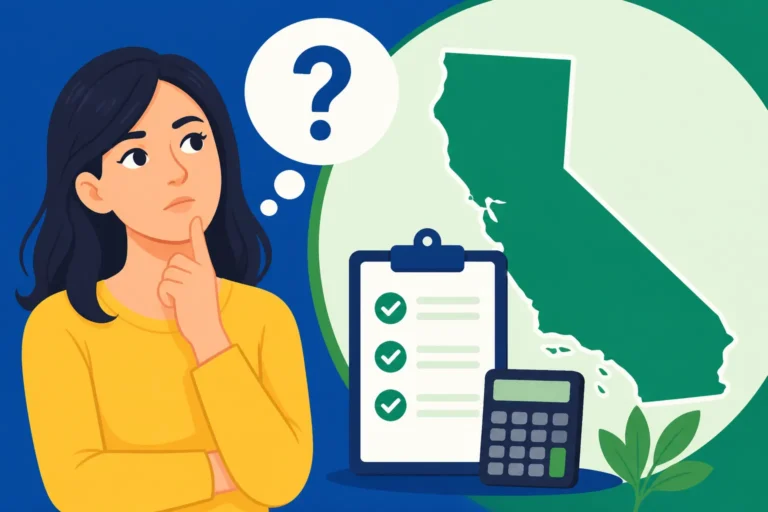
Navigating the world of state income taxes can feel like deciphering ancient scrolls, and when it comes to a state as large and diverse as California, the task can seem even more daunting. Many Californians find themselves staring at a pile of documents, wondering if they're even filing the right forms or missing out on crucial deductions. This comprehensive guide is here to demystify the process, walking you through everything you need to know to confidently file your California state taxes online, ensuring you meet your obligations without unnecessary stress.
Understanding California's Online Filing Landscape
Let's be real, the idea of doing anything tax-related can bring on a headache. But when it comes to your California state income taxes, filing online isn't just a modern convenience; it's often the most efficient and accurate way to go. Forget about printing forms, finding stamps, and hoping your envelope doesn't get lost in the mail. Online filing has become the standard for a reason, offering speed, security, and a helping hand through the process.
The Benefits of Going Digital with Your Golden State Taxes
There's a reason why so many people are ditching the paper forms for digital submissions. First and foremost, accuracy. Tax software and online portals are designed to catch common errors that humans might overlook. They guide you through each section, prompting you for information and often cross-referencing your federal return data to ensure consistency. This can significantly reduce the chances of receiving a dreaded notice from the California Franchise Tax Board (FTB).
Another massive perk is speed. When you file electronically, your return is processed much faster than a paper return. This is particularly good news if you're expecting a refund. Instead of waiting weeks or even months for a check, direct deposit options can get your money into your bank account in a matter of days. You can even track its progress with tools like the "Where's My California Tax Refund?" portal. Imagine getting that refund quickly to pay off bills, fund a mini-vacation, or simply bolster your savings.
Then there's the sheer convenience. You can file from the comfort of your home, at any time of day or night. No more rushing to the post office before closing time on April 15th (or whatever the official California Tax Deadline 2026 ends up being). Plus, most online platforms allow you to save your progress, so you don't have to complete everything in one sitting. It's about fitting tax filing into your life, not the other way around.
Who Needs to File a California State Tax Return?
This is a fundamental question, and it's not always as straightforward as it seems. Generally, if you're a resident of California and your income exceeds a certain threshold, you'll need to file. This threshold depends on your filing status (single, married, head of household, etc.), your age, and whether you're claimed as a dependent. The FTB provides specific income thresholds each year, so it's vital to check those if you're unsure.
However, residency itself is a nuanced topic. California has some of the strictest residency rules in the country. You might be considered a resident even if you spent part of the year out of state, or conversely, a nonresident might still have to file if they earned income from California sources. Understanding the State Tax Residency Rules Explained, especially the differences between domicile and statutory residency, is crucial. For instance, if you live in Arizona but work remotely for a California company, or if you had California rental income, you might have a filing obligation. Many people who move to or from California mid-year often find themselves needing to file a California Part-Year Resident Tax Guide, which adds an extra layer of complexity. Always verify your specific situation, as overlooking this detail can lead to penalties down the road.
Step-by-Step Guide to Filing Your California Taxes Online
Okay, so you've determined you need to file. Great! Now, let's break down the actual process of getting those California state taxes submitted online. It might seem like a lot of steps, but taking them one at a time makes it much more manageable.
Gathering Your Essential Documents for a Smooth Start
Before you even think about logging into a tax software program, you need to collect all your financial paperwork. This is perhaps the most critical preparatory step, as missing information can lead to errors or delays. Think of it as building your tax filing "arsenal."
You'll need your W-2 forms from all employers, which detail your wages and federal and state tax withholdings. If you're a freelancer or independent contractor, gather your 1099-NEC (nonemployee compensation) forms. For investment income, you'll need 1099-DIV (dividends) and 1099-B (stock sales). Don't forget any 1099-INT for interest income. If you're retired, make sure you have your 1099-R forms for pension, annuity, or IRA distributions. For those with health insurance through Covered California or a different marketplace, you'll need Form 1095-A.
Beyond income documents, think about anything that could lead to a deduction or credit. This includes mortgage interest statements (Form 1098), student loan interest statements (Form 1098-E), property tax statements, charitable contribution records, and medical expense receipts if you plan to itemize. Having everything neatly organized beforehand will save you immense frustration and time when you sit down to input the data. It also ensures you don't miss out on valuable savings, as detailed in our comprehensive California Tax Deductions and Credits Guide.
Choosing the Right Online Filing Method for You
Once your documents are in order, it's time to pick your filing vehicle. California offers several ways to file online, catering to different needs and income levels.
-
Commercial Tax Software: This is arguably the most popular option for many Californians. Programs like TurboTax, H&R Block, and TaxAct offer user-friendly interfaces that guide you through both your federal and state returns. They integrate seamlessly, often importing information from your federal return directly to your California state return, which is a huge time-saver. Many people find the step-by-step questions and built-in error checks incredibly helpful. These services usually come with a fee, but the peace of mind and assistance can be well worth the cost, especially if your tax situation is a bit more complex. When considering these options, you might want to review a comparison like "TurboTax vs TaxAct vs H&R Block for State Returns" to find the best fit for your needs.
-
CalFile: This is a free, direct e-file service provided by the FTB for eligible Californians. If you're a resident, are filing a fairly simple return (Form 540), and meet certain criteria (like not having itemized deductions or complex investments), CalFile can be a fantastic, cost-free option. It's direct, secure, and ensures you're filing directly with the state. However, it doesn't handle federal returns, so you'd need to file your federal taxes separately. It’s part of the broader Free State Tax Filing Options 2027 available to many taxpayers.
-
Free File Alliance (through FTB): The FTB partners with several tax software companies to offer free online filing to taxpayers who meet specific income requirements. This is a bit different from CalFile as it uses commercial software, but at no cost to you. You'd typically access these offers through the FTB's website to ensure you're using the free versions. This can be a great option if your income is modest, but your return is a little too complex for CalFile.
Navigating the California Tax Forms and Entry
Regardless of the software or service you choose, the core process of entering your information will be similar. Most online platforms are designed to make this as painless as possible, often mirroring the official California Tax Forms by State in an interactive way.
You'll start by entering your personal information: name, Social Security number, filing status (single, married filing jointly, etc.), and dependents. Then, you'll move on to income. This is where those W-2s, 1099s, and other income statements come into play. The software will prompt you to enter the figures exactly as they appear on your documents. If you’ve already completed your federal return using the same software, much of this data might automatically transfer, saving you from re-typing.
Next comes deductions and credits. California has its own set of rules here, and while some federal deductions might carry over, many are unique to the state. This is where having your documentation ready really shines. For example, if you contributed to a 529 plan, you might be eligible for a deduction. The software will ask you a series of questions to help identify potential deductions and credits you qualify for, from the California Earned Income Tax Credit (CalEITC) to various family credits. It's worth taking your time here, as this section directly impacts your tax liability or refund amount. After all, understanding your California Income Tax Brackets 2026 is one thing, but minimizing your taxable income is another!
Finally, the software will calculate your tax liability or refund. It will typically show you a summary before you officially submit. Take a moment to review everything carefully. Most programs have a "review" or "audit check" feature that flags potential issues or missing information. Once you're confident everything is correct, you'll proceed to e-file your return. The system will guide you through signing electronically (usually with your prior-year adjusted gross income or a PIN) and submitting your return. If you owe taxes, you'll have options to pay electronically, typically by direct debit from your bank account or credit card.
Leveraging Online Tools and Resources for California Tax Filing
The journey doesn't end with hitting "submit." The FTB and various tax service providers offer a wealth of tools and resources to help you through the entire tax season, from initial filing to potential post-filing inquiries. Utilizing these can save you a lot of guesswork and stress.
Popular Tax Software Options for California Filers
When it comes to filing online, you have a solid lineup of commercial software to choose from, each with its own strengths.
-
TurboTax: Often lauded for its intuitive, interview-style interface, TurboTax makes complex tax situations feel manageable. It's particularly good at importing data directly from financial institutions and last year's returns, and its "Live" options offer access to tax experts for personalized help. If your financial life has a few more moving parts, such as investments, rental properties, or self-employment income, TurboTax often has specialized versions that cater to these needs seamlessly. Many users appreciate the robust error checking it provides for both federal and state returns.
-
H&R Block: A well-established name in the tax world, H&R Block offers competitive online software that blends ease of use with professional support options. Their online platform is user-friendly and provides solid guidance, especially for those who might prefer the option of walking into a physical office if they run into trouble. They also have various tiers of service, from free basic filing to more advanced options for complex returns.
-
TaxAct: Often positioned as a more budget-friendly alternative, TaxAct provides comprehensive features without breaking the bank. While its interface might be a little less flashy than some competitors, it's highly functional and reliable. It offers good value for taxpayers who have a clear understanding of their tax situation but still want the benefits of guided online filing and error checks.
The choice really comes down to your personal preference, the complexity of your tax situation, and your budget. Remember that all these services offer specific packages tailored to different needs, so you can often find one that perfectly matches your situation.
Free Filing Options for Eligible Californians
It's fantastic that California makes an effort to provide free filing options, recognizing that not everyone can afford commercial software. Beyond the eligibility for the federal Free File program, the state offers its own direct e-file system.
-
CalFile: As mentioned earlier, CalFile is the state's very own, no-cost e-filing system. It's designed for taxpayers with relatively simple returns, allowing you to prepare and submit your California Form 540 directly to the FTB. It's safe, secure, and cuts out any middleman. The main catch is that it won't prepare your federal return, so you'll need to handle that separately. It's ideal for those who have already filed their federal return or whose federal return is very simple.
-
FTB Free File Program: For those whose income falls below a certain threshold (which changes annually), the FTB partners with several commercial tax software providers to offer their services for free. This means you can use a program like TurboTax or H&R Block to file both your federal and California state returns at no cost. You'll need to go through the FTB's website to access these specific free offers, as navigating directly to the software provider's site might lead you to their paid versions. It's an excellent way to get the benefits of commercial software without the price tag if you qualify.
Support and Assistance from the Franchise Tax Board (FTB)
Even with all the tools and software, questions can and do arise. The California Franchise Tax Board (FTB) is your primary resource for state-specific tax inquiries. They offer a variety of support channels:
- Website: The FTB website (ftb.ca.gov) is a treasure trove of information. You can find forms, publications, FAQs, and detailed explanations of various tax topics. It's often the first place to look if you have a general question about California taxes. You can also track the status of your refund or check for any notices you might have received.
- Customer Service: For more personalized assistance, the FTB has phone lines staffed by representatives who can help with account-specific questions, filing requirements, and other tax-related queries. Be prepared for potential wait times, especially closer to the April tax deadline.
- Taxpayer Advocates: If you've tried traditional channels and are still facing unresolved issues or significant hardship, the FTB's Taxpayer Advocate program can provide assistance and help mediate disputes.
Remember, the FTB is there to help you comply with tax laws, not just to collect taxes. Don't hesitate to reach out if you're truly stuck.
Common Hurdles and How to Overcome Them When Filing Online
No matter how streamlined the online filing process becomes, certain situations can still throw a wrench into things. Recognizing these common hurdles and knowing how to tackle them can save you a lot of headache.
Dealing with Multiple States or Part-Year Residency
California is a popular state for people moving in and out, whether for work, retirement, or lifestyle changes. This often means you're not just a full-year California resident, and that complicates filing. If you lived in California for part of the year and another state for the other part, you'll generally file as a "part-year resident." This means you'll report only the income earned while you were a California resident, plus any California-sourced income earned during your nonresident period. It can be tricky to correctly allocate income and deductions, especially for things like stock options or bonuses. This is precisely why articles like our Working in One State, Living in Another: Tax Guide are so vital.
Furthermore, if you work in California but live in another state, or vice versa, you might have to file nonresident returns for California and a resident return for your home state. States often have tax reciprocity agreements, but California does not participate in any. This means you’ll typically pay tax to California on your California-sourced income, and then claim a credit on your home state’s return for taxes paid to California to avoid "double taxation." For instance, someone living in Nevada and working remotely for a California-based company will typically owe California income tax on their California-sourced wages, despite living in a state with no income tax. Tax software like TurboTax is generally well-equipped to handle multi-state filings, guiding you through the process of reporting income to each relevant state and calculating the proper credits.
Amending a Previously Filed Online Return
Oops, you hit "submit" and then realized you forgot to include a W-2 or a significant deduction. It happens! The good news is that you can amend your California tax return. You'll use Form 540X, Amended Individual Income Tax Return. The key is to wait until your original return has been processed by the FTB before you submit an amended one. Trying to amend too quickly can confuse the system.
Most tax software programs will assist you in preparing an amended return. You'll typically indicate which lines you're changing and provide an explanation for the changes. The How to File an Amended State Return guide has more detailed information on this process. Whether the amendment results in you owing more tax or receiving a larger refund, it's crucial to correct any errors. If you owe more, file and pay as soon as possible to minimize penalties and interest. If you're due a larger refund, an amended return is how you claim it.
Avoiding Penalties and Understanding Extensions
No one wants to hear from the tax authorities, especially about penalties. The FTB can assess penalties for various reasons, including:
- Late Filing: Missing the California tax deadline (which is typically April 15th, though check for specific dates for 2026) can result in a penalty, even if you don't owe any tax.
- Late Payment: If you owe tax and don't pay it by the deadline, you'll incur a penalty, plus interest on the unpaid amount.
- Underpayment of Estimated Tax: If you're self-employed or have other income not subject to withholding, you might need to make estimated tax payments throughout the year. Failing to pay enough, or paying late, can also lead to penalties.
If you know you can't file on time, you can usually get an extension. California grants an automatic extension to October 15th to file your return. However, this is an extension to file, not an extension to pay. If you expect to owe tax, you must still pay that estimated amount by the original April deadline to avoid late payment penalties and interest. You can find more details on applying for extensions in State Tax Extensions: How to File. Most tax software will help you file an extension form if needed, often automatically if you indicate you need more time. Planning ahead is always your best defense against penalties!
Disclaimer
The information provided in this article is intended for general informational purposes only and does not constitute tax advice. Tax laws are complex and subject to change. It is crucial to consult with a qualified tax professional or refer to the official publications of the California Franchise Tax Board (FTB) for advice tailored to your specific situation.